Changelog

What's new in Kling

Everything we've shipped, in reverse chronological order. No marketing fluff, just what changed and why it matters.

September 8, 2026

Recurring contributions and WooCommerce subscriptions

Recurring payments got a lot easier this round. Contributions can now be weekly, monthly or yearly, WooCommerce products can sell as subscriptions, and the subscriptions you already have are easier to manage.

Contributions can recur

Frjálsar greiðslur is out of beta and available to everyone. Share one page and let people pay what they want, with preset amounts or their own.

The new part is cadence. You choose whether the page bills weekly, monthly or yearly, and can let donors pick between a one-time gift and a recurring one on the page itself. A recurring choice becomes a real subscription that renews on its own, retries a failed card, and can be cancelled from the billing portal. Goal tracking, a downloadable QR code and a visible VSK rate come along with it.
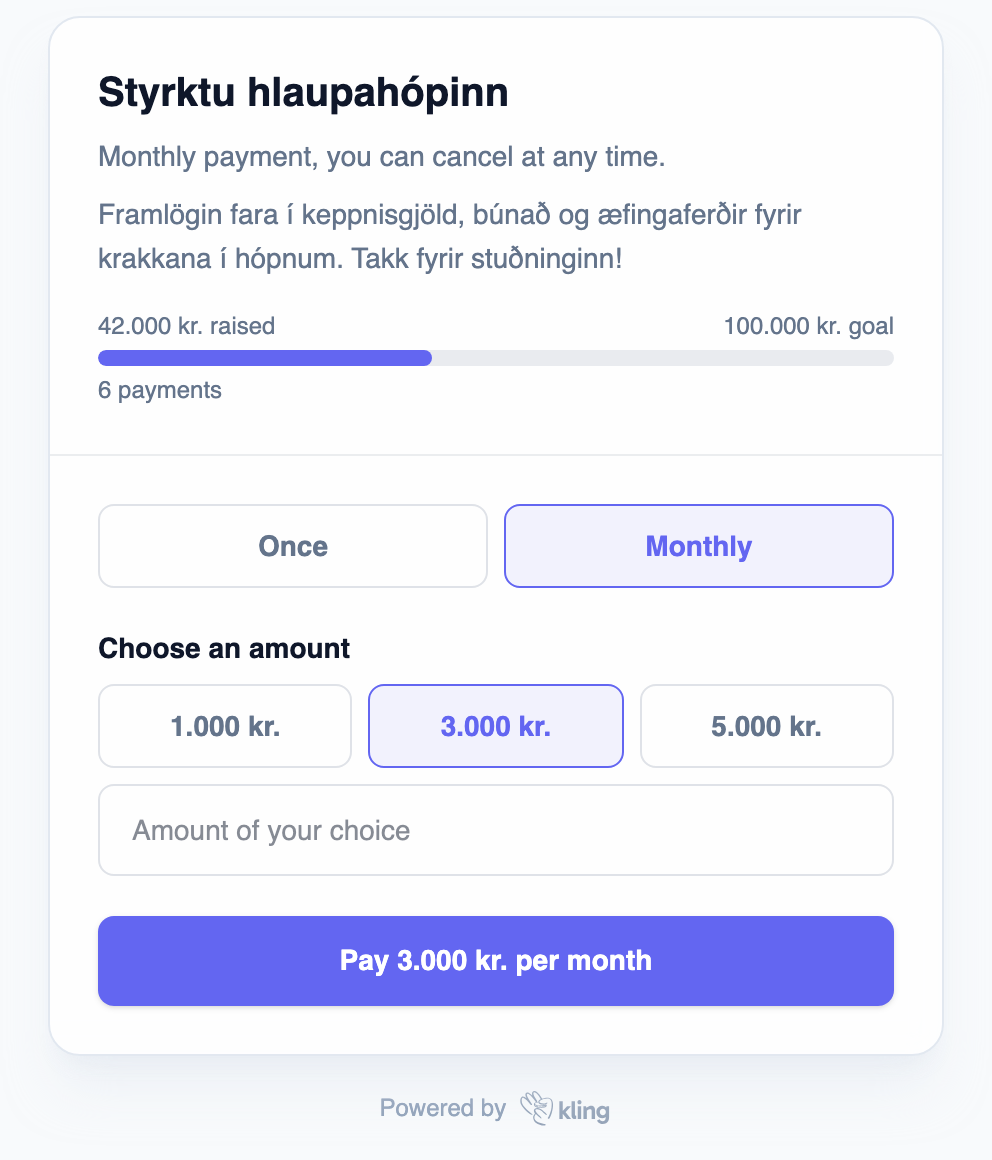
A contributions page where the donor chooses once or monthly, with a goal bar showing 42.000 of 100.000 kr. raised
A donor picks once or monthly, right on the page.

WooCommerce subscriptions

Tick Kling subscription on a WooCommerce product, pick an interval, and that product sells as a subscription. Kling owns the schedule, the card updates and the failed-payment retries, and WooCommerce gets one paid order per period. Your customers manage their own subscription through the billing portal from a button on the order.

You do not need the WooCommerce Subscriptions extension. Grab version 1.4.0 at download.kling.is/woocommerce.

Subscriptions are easier to manage

  • Change what a subscription charges - open a subscription and edit its amount, without rebuilding the product behind it.
  • A heads-up when a renewal fails - your customer gets an email asking them to fix their card, instead of quietly lapsing.
  • Subscription reports - see what is starting, stopping and sticking, month by month.
  • A list you can narrow down - filter subscriptions by date and payment method, with proper paging on long lists.
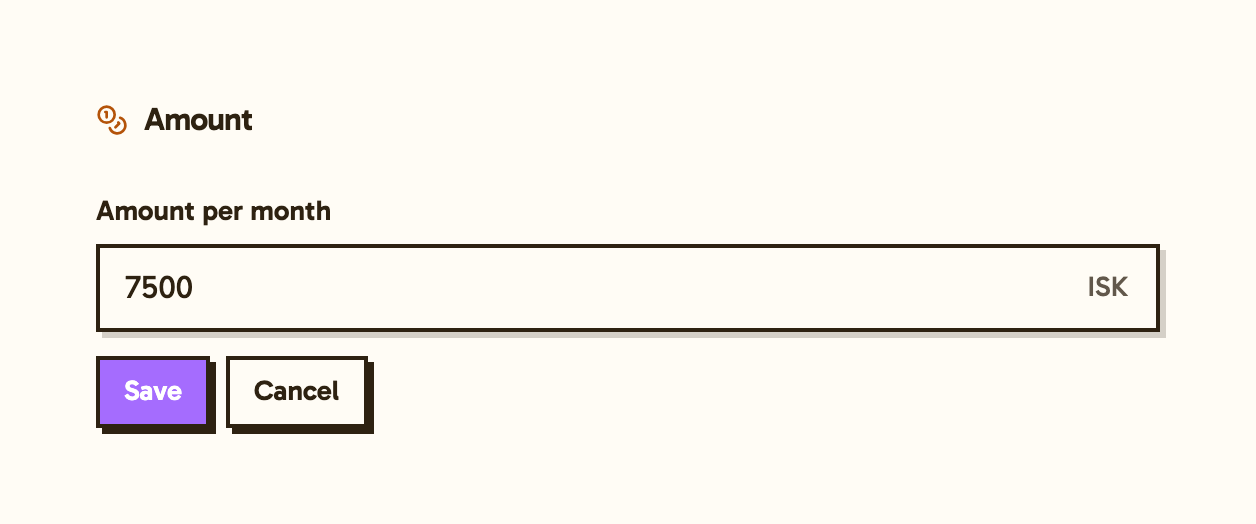
The amount editor on a subscription, with a new monthly amount of 7500 ISK and a Save button
Edit the amount on any subscription.

Your brand on everything your customers see

  • Emails come from you - customer emails carry your business name as the sender and your address as Reply-To, so replies reach you and not us.
  • Your own logo - upload a logo image instead of pasting a link, and it becomes the mark on checkout, receipts and emails.
  • Receipts in Icelandic - receipt emails default to Icelandic, and there is a switch in Settings if you would rather not send them at all.

Clubs and events

Link a club to an event and your members get their own price automatically when they register, down to a free ticket if the member price is 0 kr. Everyone else pays the normal price. No codes to hand out and no separate members-only page.

Event registrations can also be paid with a krafa, and the attendee list picked up filters and an Excel export.
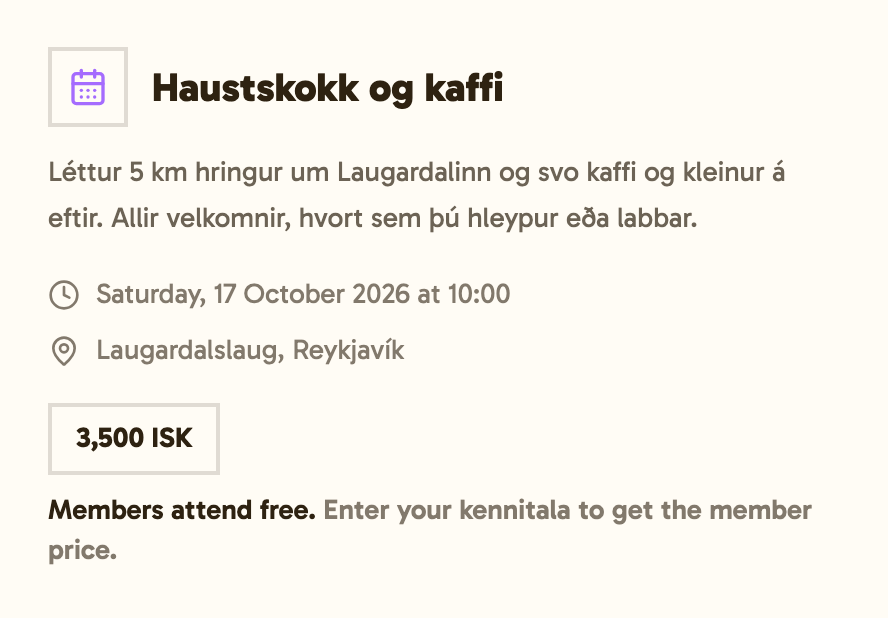
An event page priced at 3.500 kr. that tells visitors members attend free and to enter their kennitala for the member price
Members see their price before they register.

Clubs picked up a few things of its own:

  • A member list you can work in - search it, filter it by status and by how people pay, and export it.
  • One-time memberships - for joining fees or a single-semester club that should be charged once and never renew.
  • Archive a club - put a club that has run its course out of the way without losing its history.
  • A page for your members - members sign in and see what their membership gets them, and you can open it as them to help someone over the phone.

EUR and USD

Kling is no longer ISK only. Checkout, receipts, invoices, customer emails and your dashboard totals all handle EUR and USD, with each currency added up on its own. Turning a currency on is something we do with you, so send us an email if you sell abroad.

Website, in beta

A hosted webshop wired to your products and checkout, which you edit by talking to an AI assistant, with your own domain pointed at it. It is not self-serve yet, so reply to this email if you want to try it.

Checkout

  • Declines that say something - a declined card explains itself in plain language, and an expired card is caught before the customer is sent through 3DS.
  • Better on a phone - the payment step was reworked for small screens, and form validation speaks the right language.

In the dashboard

  • See what people typed at checkout - the payment page shows the answers to your custom checkout fields.
  • Several API keys, with labels - name your keys per integration and issue read-only ones for anything that should never write.
  • Clearer kröfu errors - when the bank rejects a krafa, you get a sentence you can act on instead of a code, and impossible kennitölur are caught before they are sent.
  • A faster customer list - it used to crawl on large accounts. It no longer does.

For developers

There is now a remote MCP connector: paste one link into Claude or ChatGPT and your assistant can read your Kling data. Read-only API keys get read-only tools, so the key you hand it decides what it can do.

Also new: read-only `/v1/reports` endpoints, a `GET /v1/payment-intents` list endpoint, subscribable `claim.created` and `claim.paid` webhooks, webhooks on renewal failure, retry recovery and portal cancellations, and an idempotency layer that no longer caches a failed response under your key.

If anything is broken or missing, send us an email at hallo@kling.is. We read every one.

June 26, 2026

Events is live, ticketing and check-in in one solution

The second Kling solution is here. Events handles everything from the open registration page to the door scan, all in one place.

Events, the second Kling solution

Turn on Events in the solutions marketplace and you get a public event page, a registration flow, ticketing, and a check-in scanner. Free events, paid events, or a mix. No second tool to wire up.

Whether it's a 200-seat workshop, a kids' tournament with 14 teams, or a season-opener for a club, the whole loop lives in your Kling dashboard.

What you can do today

Each event is a single page in the dashboard that ties together:

  • A public event page - lives at a clean Kling URL, picks up your merchant theme, swaps between Icelandic and English with the locale picker. Add an image, add a Google Maps link, decide when registration opens.
  • Free or paid registration - set a ticket price (or leave it at zero), and we collect the right info either way.
  • Custom registration fields - ask for t-shirt size, dietary needs, a kid's birth year, whatever your event needs.
  • QR ticket by email, plus printable PDF - every paid registration triggers a confirmation email with a QR code. There's a printable PDF version too, for the people who still print. We all know someone who does.
  • Check-in scanner on your phone - open the scanner page on the dashboard, scan the QR code, the attendee is checked-in.
  • Live attendee list - the attendee list updates by itself while you're checking people in, so everyone is on the same page regarding the attendee status.
  • Per-attendee management - open any attendee, edit their details, resend their ticket, cancel them and check their payment status on the dashboard.

Where is it?

Find it in the Events tab under Solutions in the dashboard. Available to every merchant for 3,490 ISK per month. Start making events today.

Updated go-live process and claims

We have updated the process to accept real payments. Now you can both apply to accept card payments and send claims to your customers. If you haven't completed the process or want to add a new payment method, you can do so here -> https://kling.is/dashboard/go-live

Account & team controls

You can now delete your Kling account from the dashboard, with a grace period to recover it if you change your mind. Teams got the missing pieces too: leave a merchant, transfer ownership to a teammate, and a guard so the last owner can't lock everyone out by accident.

Clearer status on the payments list

The old "Unpaid" pill is now three pills: Abandoned (customer never finished the checkout), Attempted (card was tried and declined), and Expired (the 24-hour checkout session timed out). Filter your payments by these tags for an even clearer picture of your customers' unpaid payments.

If anything is broken or missing, send us an email at hallo@kling.is. We read every one.

May 8, 2026

Kling solutions, Clubs & Organizations & WooCommerce

Six weeks since launch. Here's what shipped, told the way we'd tell a friend.

Solutions, the start of a marketplace

Kling is no longer just an API and a checkout. We've started shipping solutions, ready-made tools you turn on with a click when you need one, off when you don't.

Clubs and associations is the first Kling solution

If you run a sports team, an alumni network, a scout troop, or any kind of félag, you've probably been juggling Excel for membership, some email software for the newsletter, and a payment provider that doesn't quite fit. We built one place for all of it.

Members sign in with their phone, no password, no app. Parents pay on behalf of their kids and see their own billing without sharing logins. Send announcements by email or SMS straight from the dashboard. Recurring dues, membership tiers, paused or active, the whole picture in one place.

Turn on Klúbbar & félög in the solutions marketplace.

What's coming next

Donations for fundraising pages, Events for ticketing and registration, Pick & Pack for stores that ship physical orders, and Storefronts for merchants that want to sell multiple products in a really simple way. They'll appear in your dashboard when they're ready.

Signing up got friendlier

We are by your side in the application for accepting card payments. We know that it can get overwhelming and that's why we broke it down step by step in the dashboard.

We also use AI to draft your terms of sale based on what you tell us about your business. You read, you tweak, you accept. No lawyer required, for most things.

WooCommerce, no integration required

If you sell on WordPress + WooCommerce, you don't need to wire anything up. Download the plugin at download.kling.is/woocommerce, drop it on your site, you're taking Kling payments. No code, no copy-pasting keys into config files.

Refunds where you'd expect them

Open any payment, hit refund. Full or partial, with a status timeline you can watch. The most common "but where?" question from the first weeks, answered.

Build in test, ship to live, one click

Build out your products, payment links, and discount codes in test mode. When you're ready, copy them over to live with a single button. No more building the same thing twice.

Small but useful

T&C consent at checkout when you require it. Payment links remember the customer's language between visits. Forgot password actually works now (sorry it didn't before). Bank claims settings live in one place instead of four. Your team management page works on a phone.